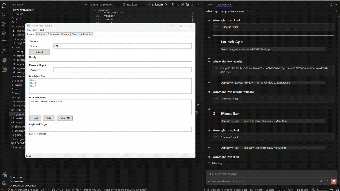
WinWright brings AI-driven automation to Windows desktops and browsers
WinWright (civyk-winwright) from Civyk Official is an automation server that connects AI agents to Windows desktops and Chromium browsers. It converts plain-English instructions into executable automation steps, targeting test creation and routine task automation. Key capabilities include natural-language scripting, cross-technology UI control, and persistent automation artifacts. The product targets QA engineers, software developers, and automation specialists who need repeatable, machine-executable workflows for legacy and modern Windows applications.
Top Recommended Alternative

What tasks can you actually use it for?
WinWright translates descriptive prompts into actions that operate across native Windows and web UIs. It supports legacy WinForms and modern WPF applications and controls Chromium-based browsers through the Chrome DevTools Protocol, so a single workflow can include both desktop clicks and browser navigation. The tool is intended for test case generation, data extraction from legacy interfaces, and routine desktop task automation, where mixed desktop-and-web sequences are required.
How reliable are the generated automations?
The server produces deterministic JSON scripts designed to run repeatedly without further model queries. Generated artifacts run locally, and the system's self-healing selectors adapt to UI changes to reduce script breakage. Because scripts execute without additional large-language-model calls after generation, subsequent runs do not consume LLM tokens, increasing predictability for long-term automation schedules.
What environment and inputs does it require?
WinWright runs on Windows 10 and Windows 11 and requires an MCP-compliant host environment, such as Claude Desktop, to accept natural-language prompts and coordinate execution. Inputs take the form of plain-English descriptions that the server converts to JSON actions. For web steps, the tool uses the Chrome DevTools Protocol, which limits browser support to Chromium-based browsers.
Is it practical for QA pipelines and maintenance workflows?
The tool targets QA engineers, developers, and automation specialists and includes AI-assisted maintenance that can update broken scripts, lowering long-term upkeep. Its ability to switch between desktop and web steps in one workflow fits mixed-technology test suites, and deterministic outputs enable inclusion in automated test runs when teams already operate in an MCP environment.
Best suited to teams already invested in MCP tooling and automated test pipelines
WinWright is a practical choice for teams that depend on repeatable Windows and browser automation and can provision an MCP host. Civyk Official publishes the project as open source, and the tool has positive reception among MCP and AI developer communities. A recommended practice is to pair generated workflows with existing CI and human review for complex legacy UI scenarios.